Building Trust into AI
A verification workspace for claims handlers.
A verification workspace for claims handlers.
Whenever a claim triggered a low-confidence AI decision, handlers had to manually re-verify it, jumping between the CRM, email, and PDF viewers, and scanning full documents to find a single data point. It took 40 to 50 minutes per claim.
We built a review workspace where every AI-extracted field links directly to the exact line in the source document, and every human correction becomes the new ground-truth label for retraining the model.
Claim reviews dropped from 40-50 minutes to under 3. Within three months, 90% fewer claims needed a human at all.
Simplifai's Flow Builder let claims teams chain AI skills into automated intake workflows, but automation is only as trustworthy as the moments where it hands control back to a person. This case study is about that handoff: the Human-in-the-Loop (HITL) system I designed as the review layer sitting behind every flow.
Early on, the product team was pulled toward building a flashier claim-counting dashboard for quick, visible ROI. I pushed instead for HITL, arguing it was the non-negotiable trust layer the platform needed before it could scale into enterprise, compliance-heavy accounts. That argument won the roadmap slot, and this is the system we built with it.
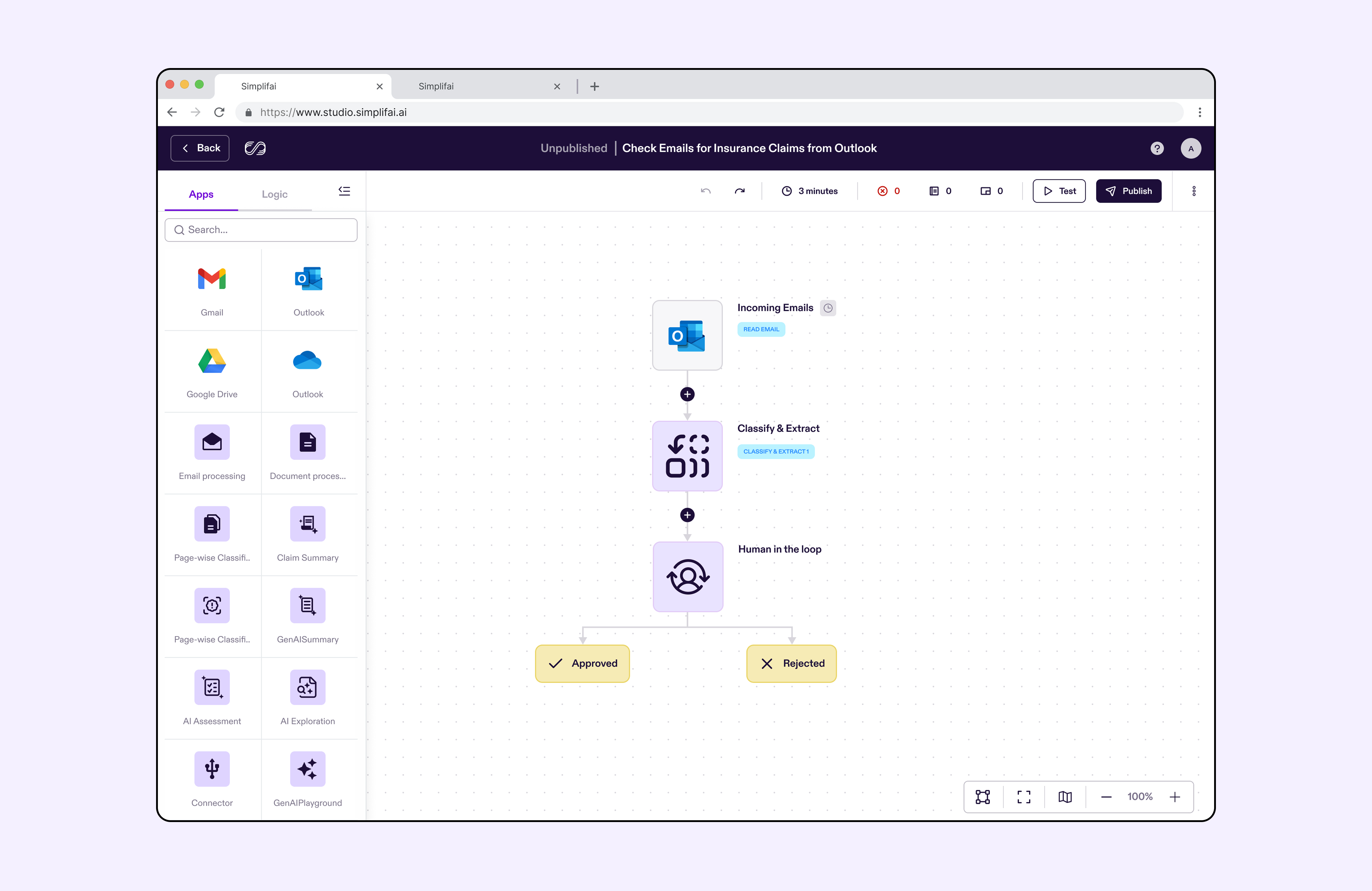
When a claim triggered a low-confidence AI decision, a handler couldn't just glance and approve. She had to manually cross-reference the AI's output against the original documents, correct anything wrong, and only then sign off, with no tooling built for that specific job.
In practice this meant juggling three or more applications for a single claim (CRM, email client, PDF viewer), downloading and visually scanning ten-plus documents to find one extracted data point, and holding the entire claim history in her head before making a high-stakes call. Our ethnographic research clocked this at 40-50 minutes per claim on average, for work that should have taken a fraction of that.
Design the mandatory Human-in-the-Loop system so it functions as a trust layer, not a compliance checkbox, turning a legal requirement into a feature that accelerates enterprise adoption.
“I spend more time copying and pasting than I do talking to customers or making decisions.”
Wants to cut time spent on manual data entry and transcription, and spend her judgment only on the complex, high-value, or escalated cases that actually need it.
Blocked by switching between 3+ apps per claim, manually cross-referencing 10+ documents to find a single data point, and having to hold the entire claim context in memory before deciding.
That five-step loop, repeated dozens of times a day, was the actual job Sarah was doing, and almost none of it required her judgment. It was transcription wearing the costume of decision-making.
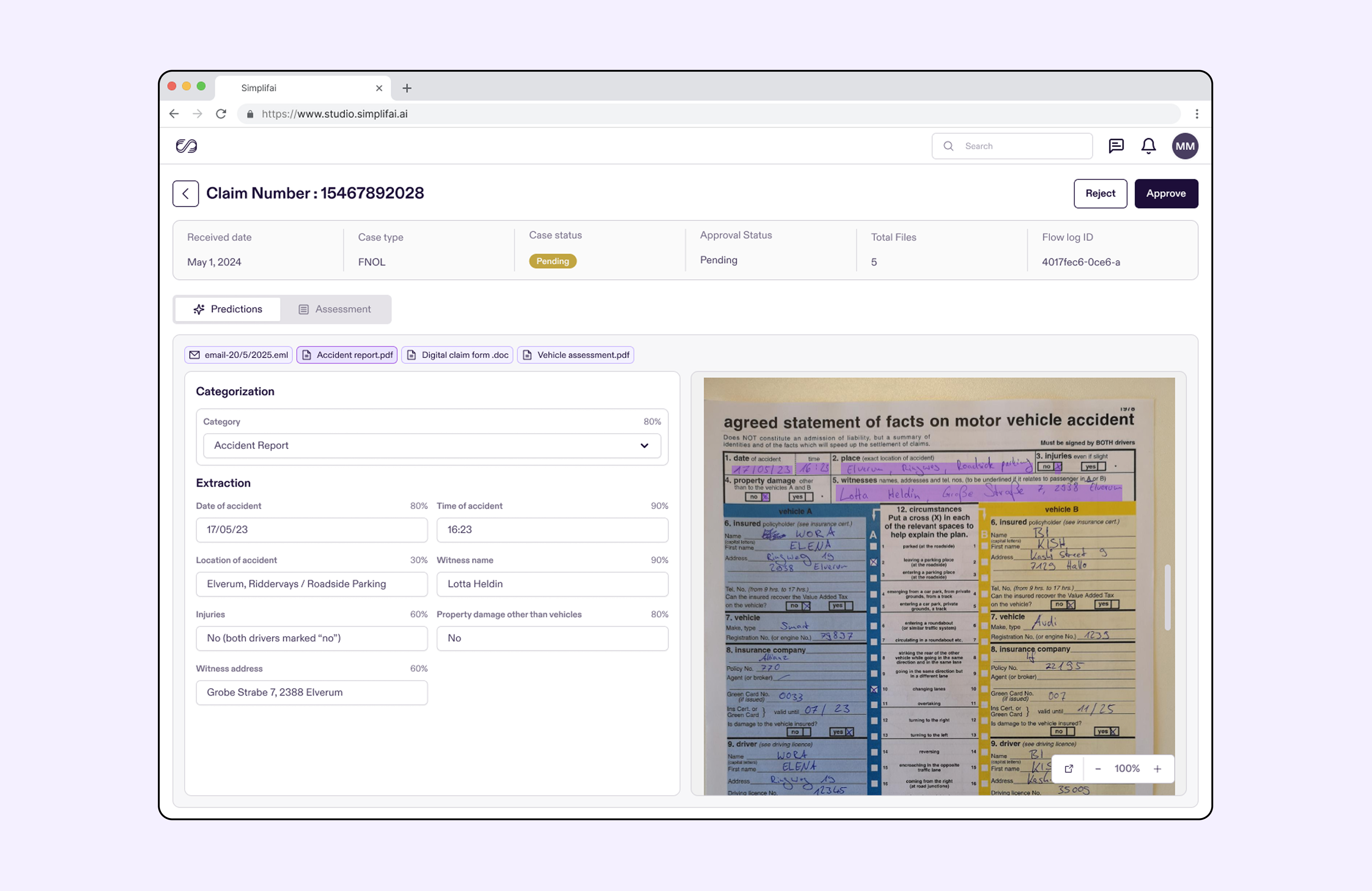
The biggest single time sink was cross-referencing an extracted field against the source text. Handlers were already doing this by hand, using Acrobat's search and annotation tools to find and mark the right passage. We didn't invent a new behaviour, we automated the one they'd already built for themselves.
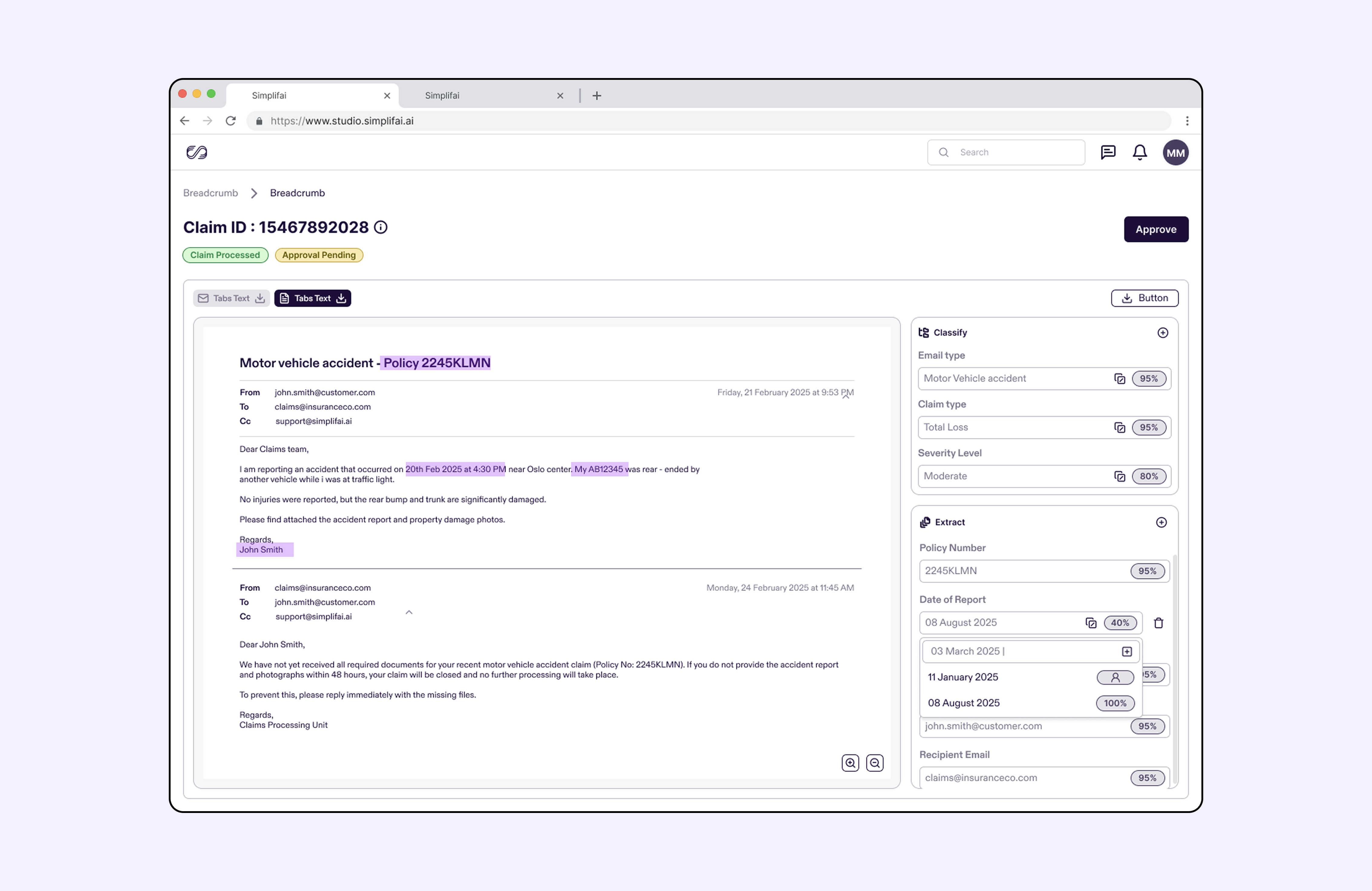
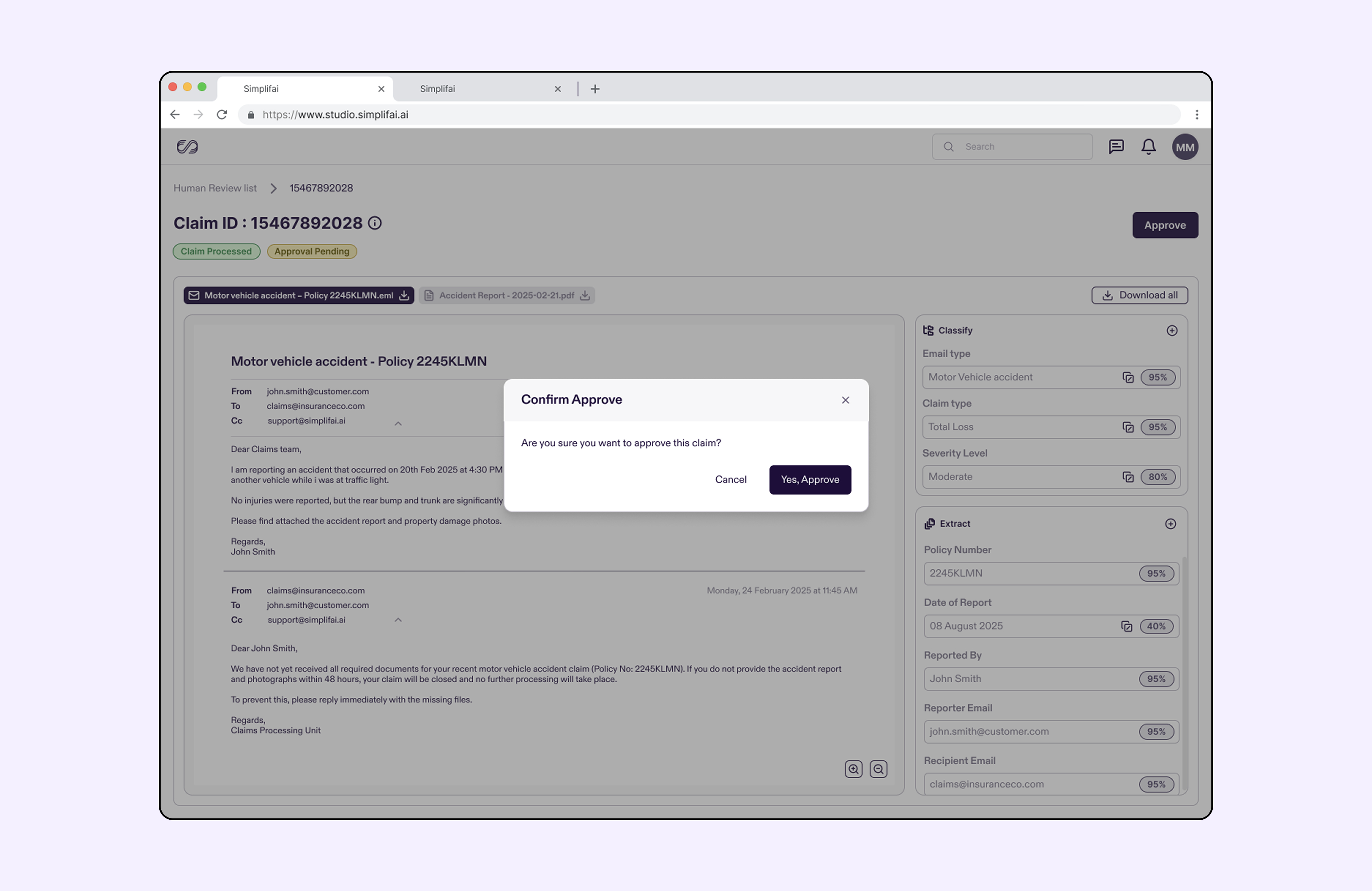
Every field in the review card became interactive. Clicking a data point scrolls the document viewer to the exact page and highlights the source text the AI used to extract it. If a claim date is wrong, the handler doesn't search for it. She clicks the field, sees the highlighted clause it came from, and corrects it in place.
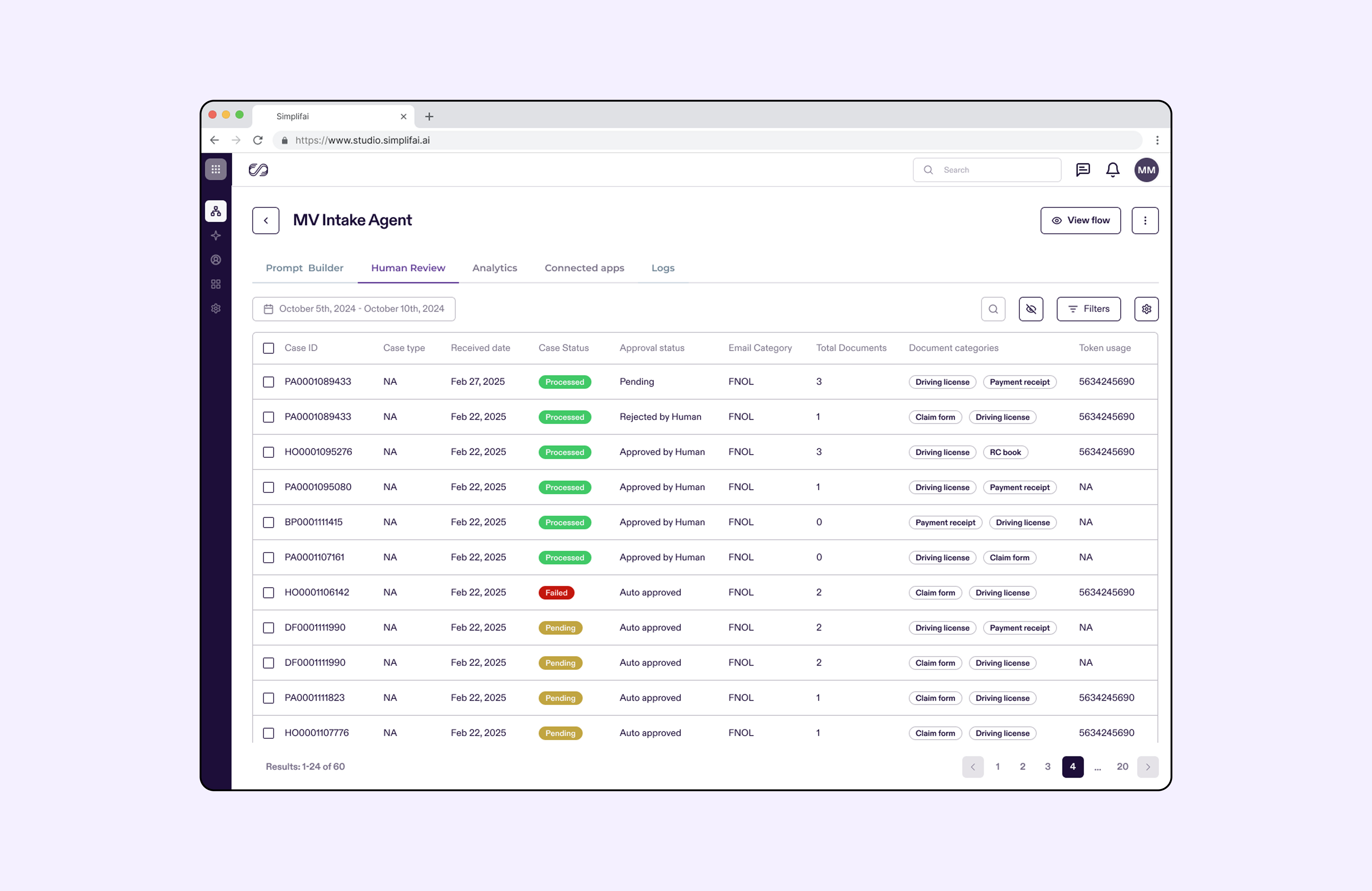
Getting to a single unified view was itself a fight worth having. Engineering's first proposal treated each document and email as an isolated review task, structurally simpler to build, but it broke the mental model handlers already used, where a Claim UID links every communication and file for one case in the CRM. We worked with the ML team to have the model identify and consolidate Claim UIDs across documents automatically, so the viewer could show one claim, one context, one screen, instead of a stack of disconnected tasks.
Later, under schedule pressure, engineering leadership proposed descoping the annotated viewer entirely, cutting the single most valuable piece of the feature to protect the timeline. We used the observational research directly: handlers were already spending 40-50 minutes per claim doing this manually, by hand, today. The viewer wasn't a nice-to-have layered on top of the business case, it was the only way to actually meet it. That framing kept it in scope.
The industry-standard thumbs-up and thumbs-down feedback pattern gives a model no signal about what was wrong. In a workshop with designers, ML analysts, PMs, and engineers, we mapped the actual taxonomy of errors handlers were correcting, and aligned on capturing the diff between the AI's output and the human's correction as the real feedback signal, not a rating, a rewrite.
| Error type | Definition | Handler action | ML utility |
|---|---|---|---|
| Classification error | AI misreads the overall claim or document type | Corrects the Claim Type field | Improves the categorization prompt |
| Extraction miss | AI fails to extract a field present in the document | Manually adds the missing value | Improves entity recognition |
| Extraneous data | AI outputs a value the source document doesn't support | Deletes the unsupported value | Improves groundedness and truthfulness |
| Formatting error | Correct value, wrong format for the downstream system | Corrects the format | Improves output consistency |
Every extracted field became an immediately editable text box, and the correction itself is the new ground-truth label. Every change is logged with the handler ID, the original AI value, and the corrected value, giving us both an audit trail for compliance and a debugging dataset for prompt failures. The workflow ends at a single, non-negotiable action, Approve and Update CRM, one button that syncs the verified data to both the target system and the model feedback loop, removing the manual transcription step entirely.
The effect was a quiet but important shift: handler effort stopped being operational cleanup and started being R&D data labeling. Every minute Sarah saved on transcription was a minute converted into higher-quality training data.
Four screens in the order a handler moves through them. Use the arrows or the dots, swipe on a trackpad or phone, or click the strip and press the left and right arrow keys.
“Our handlers stopped dreading the review queue. What used to be a forty-minute document hunt is a two-minute check, and they can see exactly why the model said what it said.”
Claims Operations Lead, Stillwater
“The audit trail is what got this past our compliance team. Every automated decision has a named human behind it and a record of what they changed.”
Head of Claims Automation, Storebrand